

Sanometra
Free, for up to 5 active supplements.
- Intake records and flexible schedules
- Remaining supply and estimated days left
- Individual daily and 30-day costs
- Purpose tags, notes, and limited label assistance
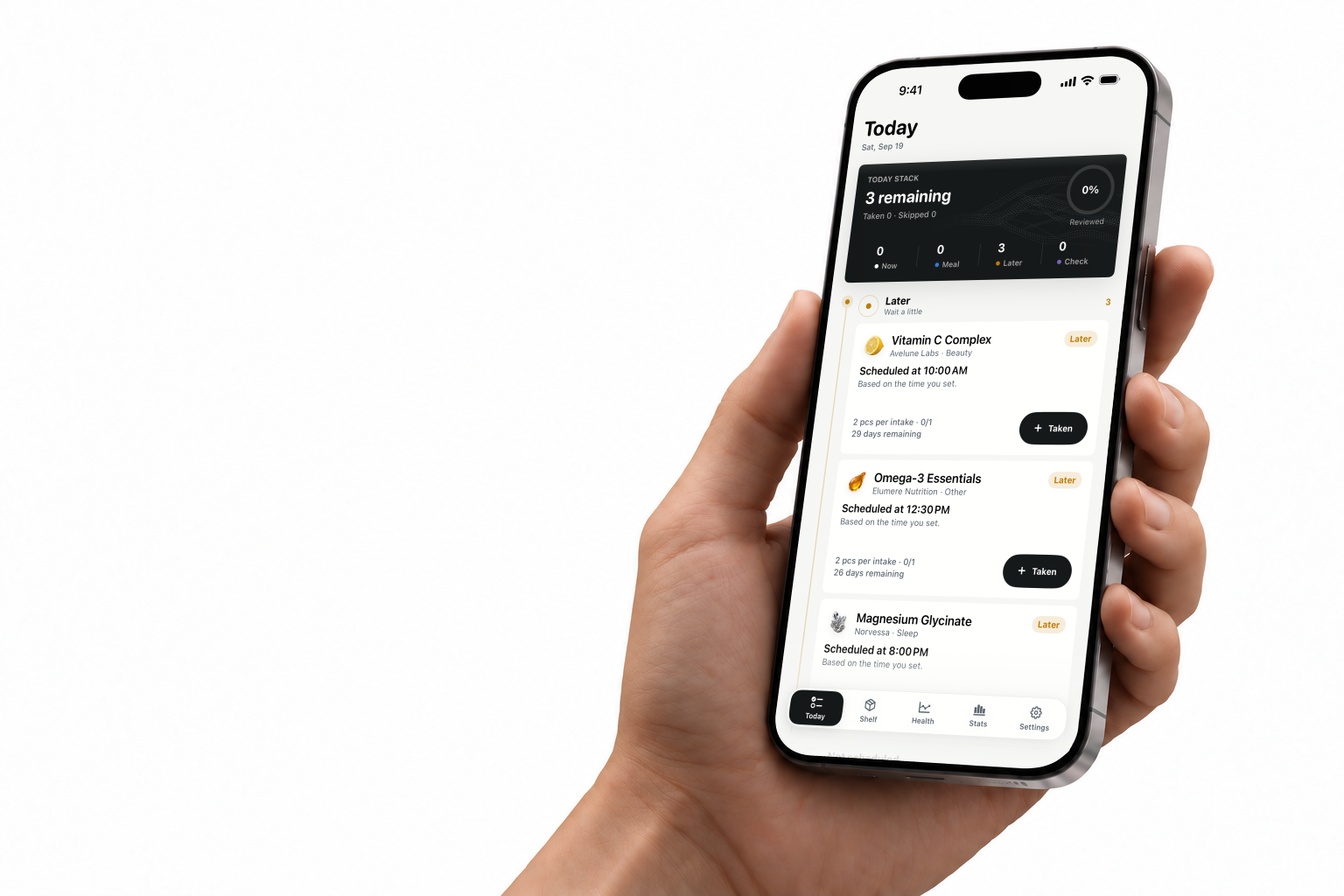
Your supplements line upwith your checkup results.
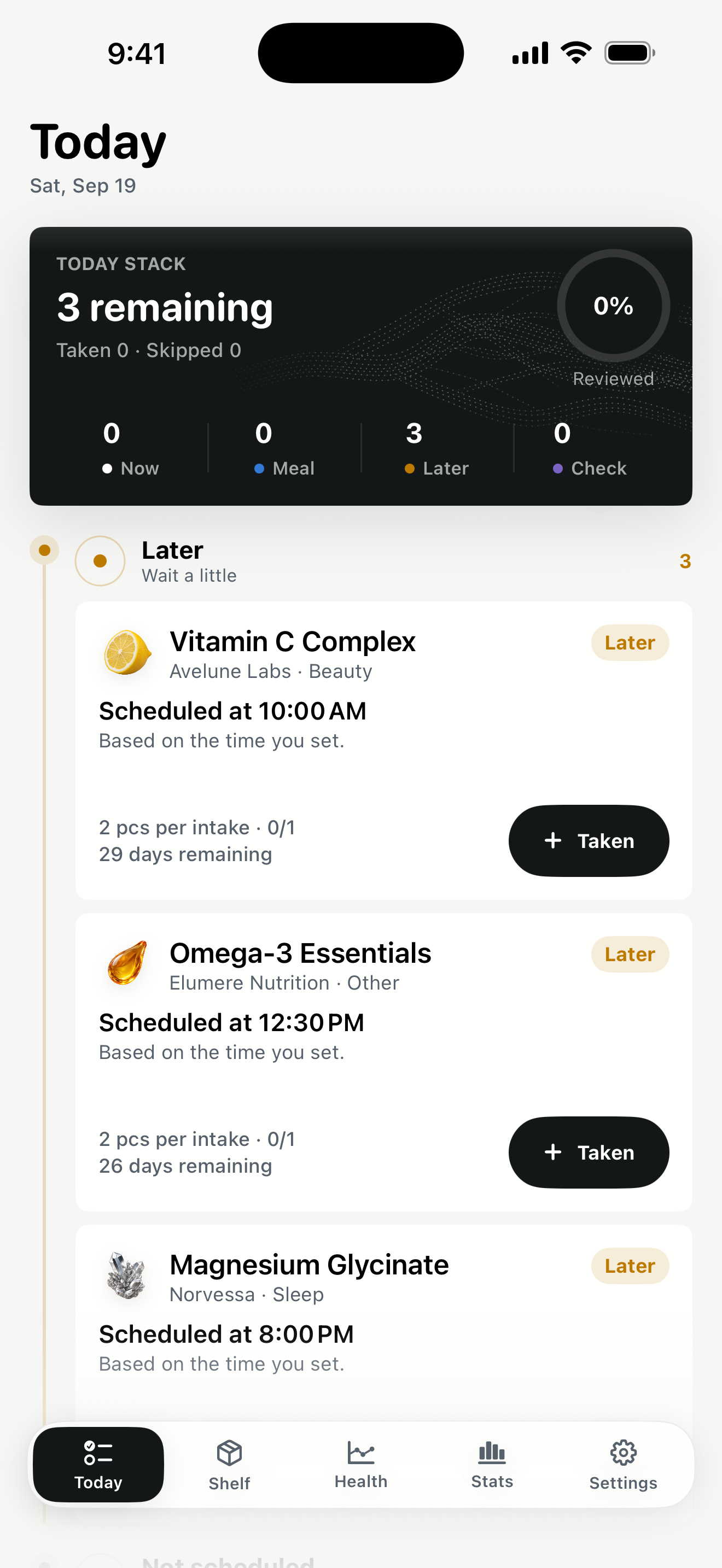
Record each one with a tap. When new results arrive, see what you were taking in the months between.

Available on the App Store
The serving size is on the bottle, last year's checkup is in a drawer, and whether you took it this morning is anyone's guess. Sanometra holds all three.
Shelf
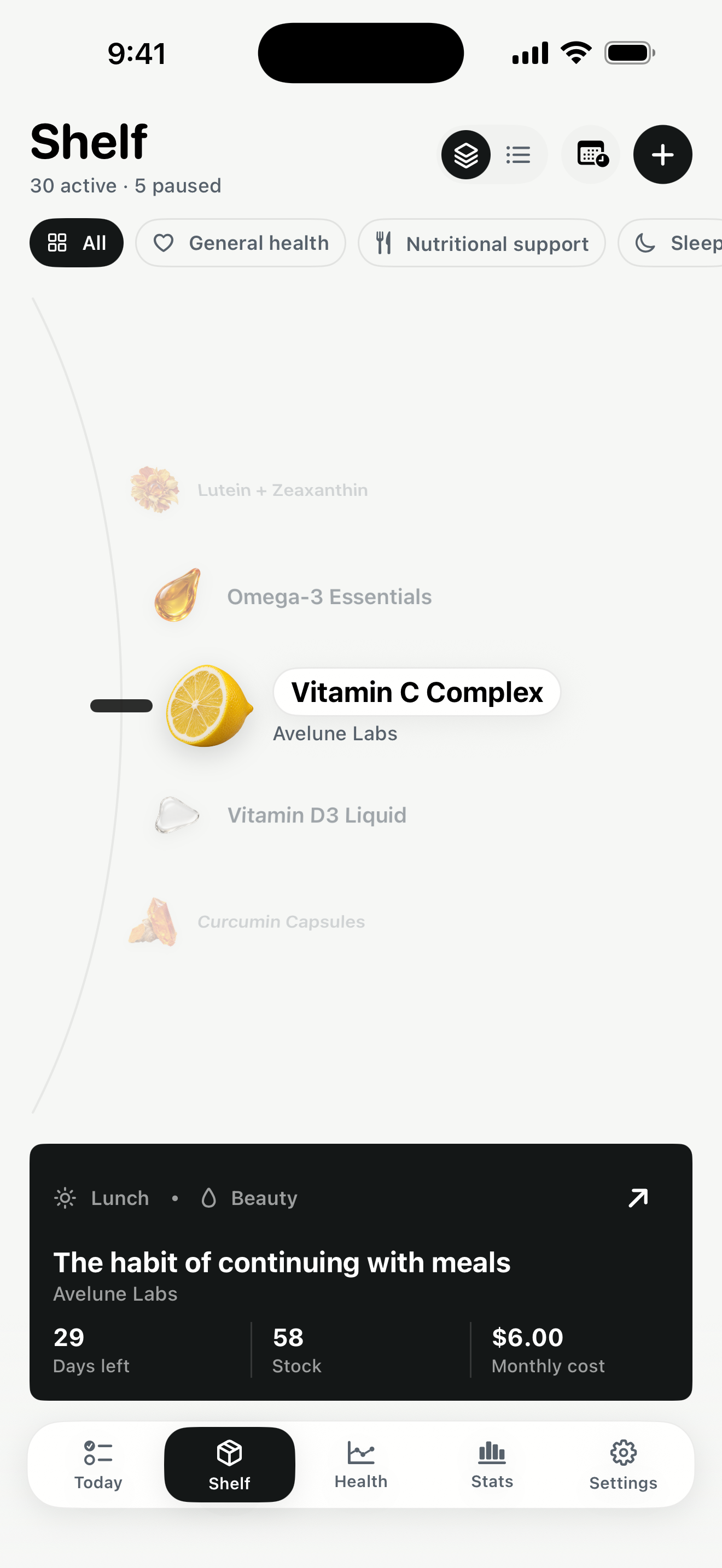
Vitamin C becomes a lemon, magnesium a crystal. On Today and Shelf, these specimens help you tell your supplements apart.
Use purpose tags and notes to keep track of why each supplement is on your Shelf.
Keep an eye on remaining supply and estimated days left.
See each supplement’s cost per day and over 30 days.
Adding supplements
A barcode or label gives you a starting draft. The amount and schedule are yours to decide.
Look up a barcode, scan the label, or type it in. If a barcode isn't found, the label or manual entry still works.
Choose the amount, unit, and schedule: daily, specific weekdays, or every few days. Add purpose tags if they help.
Check everything against the physical label, including amounts and cautions, then save.
Inside the app
Your schedule and amount per intake, ready when you need them. Correct a record or add an extra intake when plans change.
Filter by purpose tag and see what's active or paused. Open any supplement for its remaining supply and costs.
Sanometra Pro
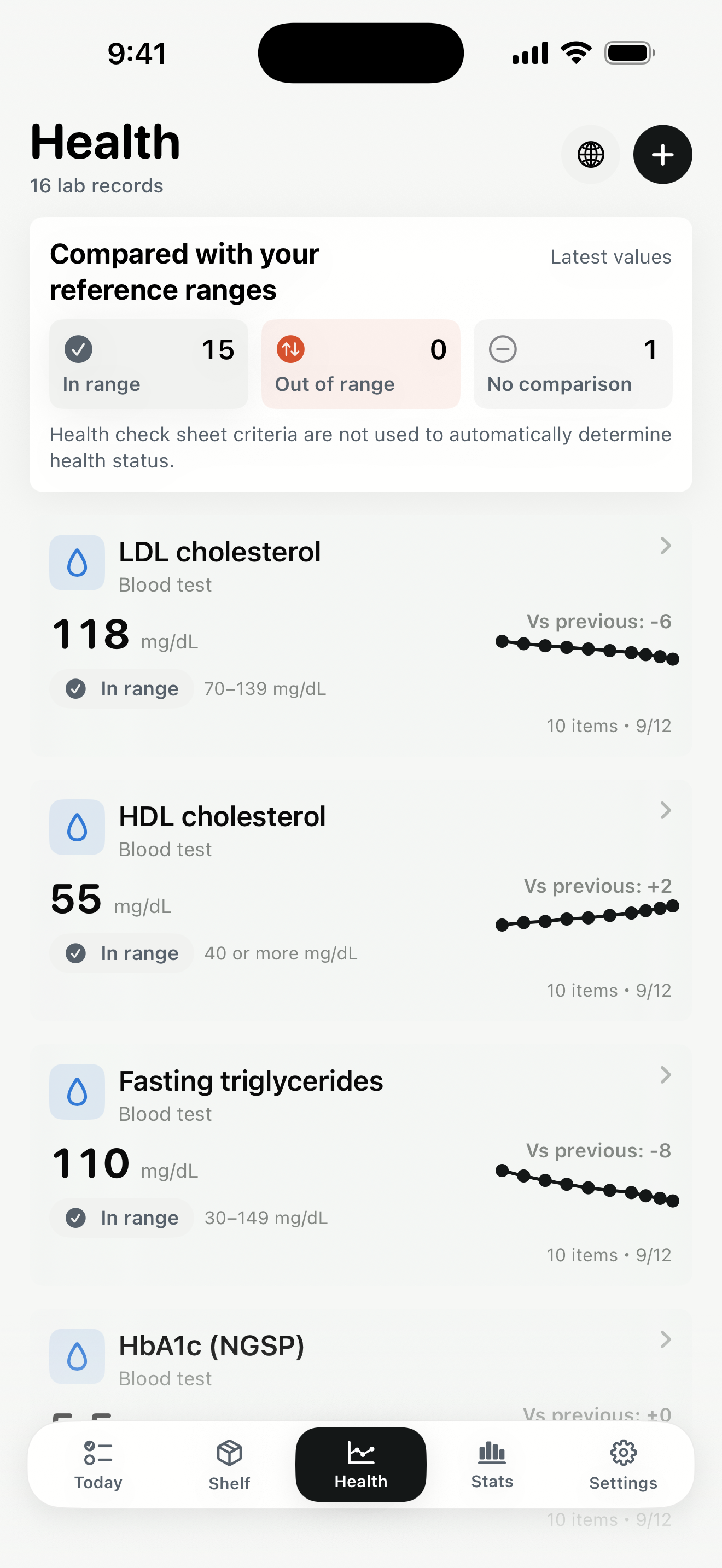
Bring checkup results into one place. Look back at your numbers alongside the supplements you used.
Sanometra Pro
See when you took each supplement next to the conditions you set, like meals, caffeine, or bedtime. Total costs and refill forecasts are here too.
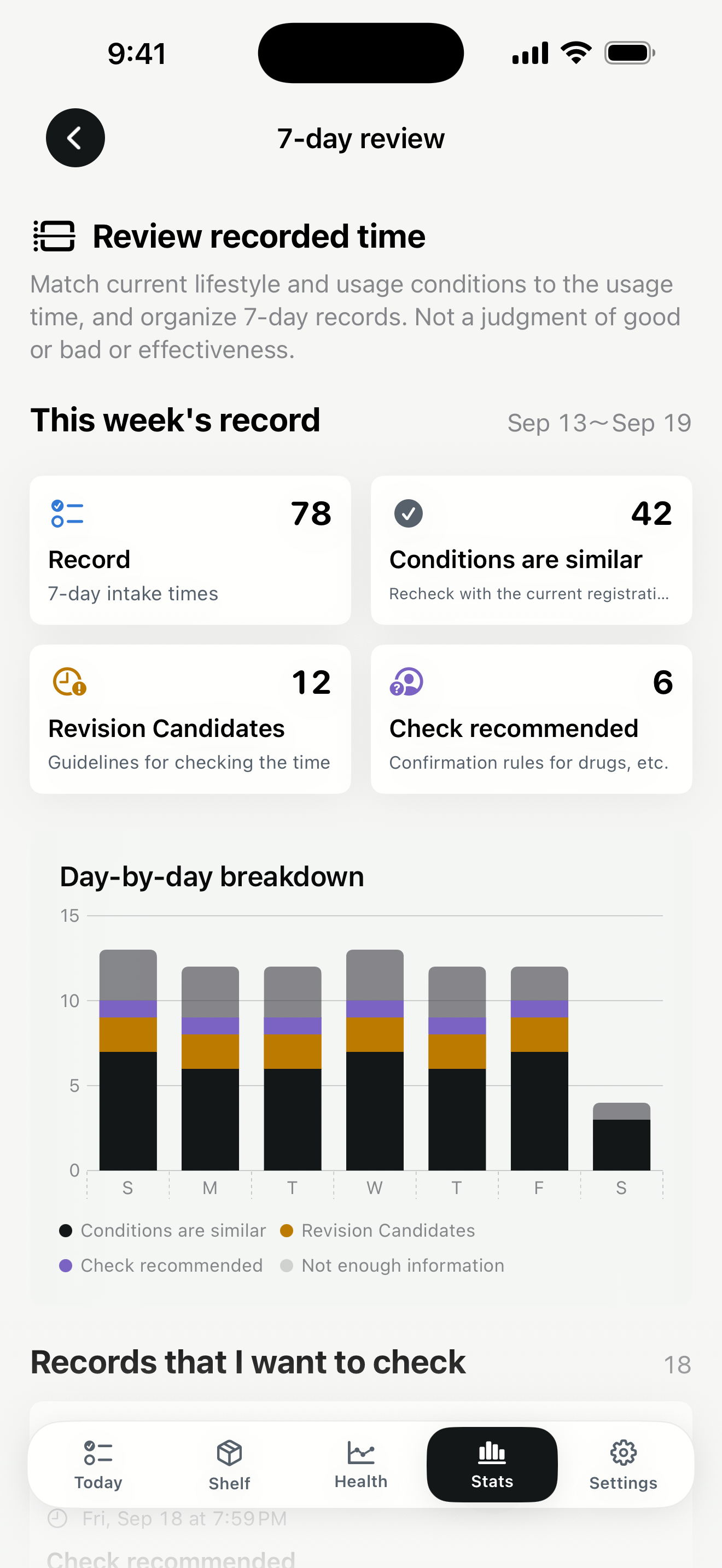
Screens show sample records and fictional brands.
Health · Sanometra Pro
A checkup gives you a set of values on a particular day. Save them in Health, then return to them as your record grows.
Enter results or import an image or PDF. Review the imported draft before saving.
Follow saved values in charts and look back at earlier checkups.
See the supplements you used around that time alongside your health records.
Records shown together provide context. They do not establish that a supplement caused a change in a result.
Screens show sample records and fictional brands.
Pricing
Free, for up to 5 active supplements.
More supplements. Health records, too.
Monthly and annual subscriptions. Local pricing and any trial eligibility are shown in the app before purchase.
Free for up to 5 active supplements. Questions and feedback are always welcome.
No account required. Your records are saved on your device, with no automatic Sanometra cloud sync.
Start with a barcode lookup, read the product label, or enter it yourself. Move through the steps, then review before saving. Product matches and available details vary: always check the physical label for amounts and cautions.
Your saved original records stay. You can still view, export, and delete them. New health entries and Pro analysis require an active subscription; the free plan lets you manage up to 5 active supplements. If you have more than 5 active supplements, you choose which 5 to keep recording.
You choose where to export records and save encrypted backups. Device backups follow your iOS or computer settings. Product lookups send the barcode number to external product databases. On iOS 17.4–17.x, system translation may send selected text to Apple. Apple and RevenueCat handle purchases and access checks without receiving your supplement or health records.
Sanometra runs on iPhone and iPad with iOS or iPadOS 17 or later. Translation needs iOS 17.4 or later and a supported language; in-app translation needs iOS 18 or later. Apple Intelligence assistance needs iOS 26 or later on a supported device, language, and settings. You can always review the original text and enter information manually.
Sanometra organizes records. It does not diagnose, treat, recommend amounts, or establish that a supplement caused a change in your results.